How To Identify Fake Payment Screenshots & Avoid UPI Scams
October 5, 2026
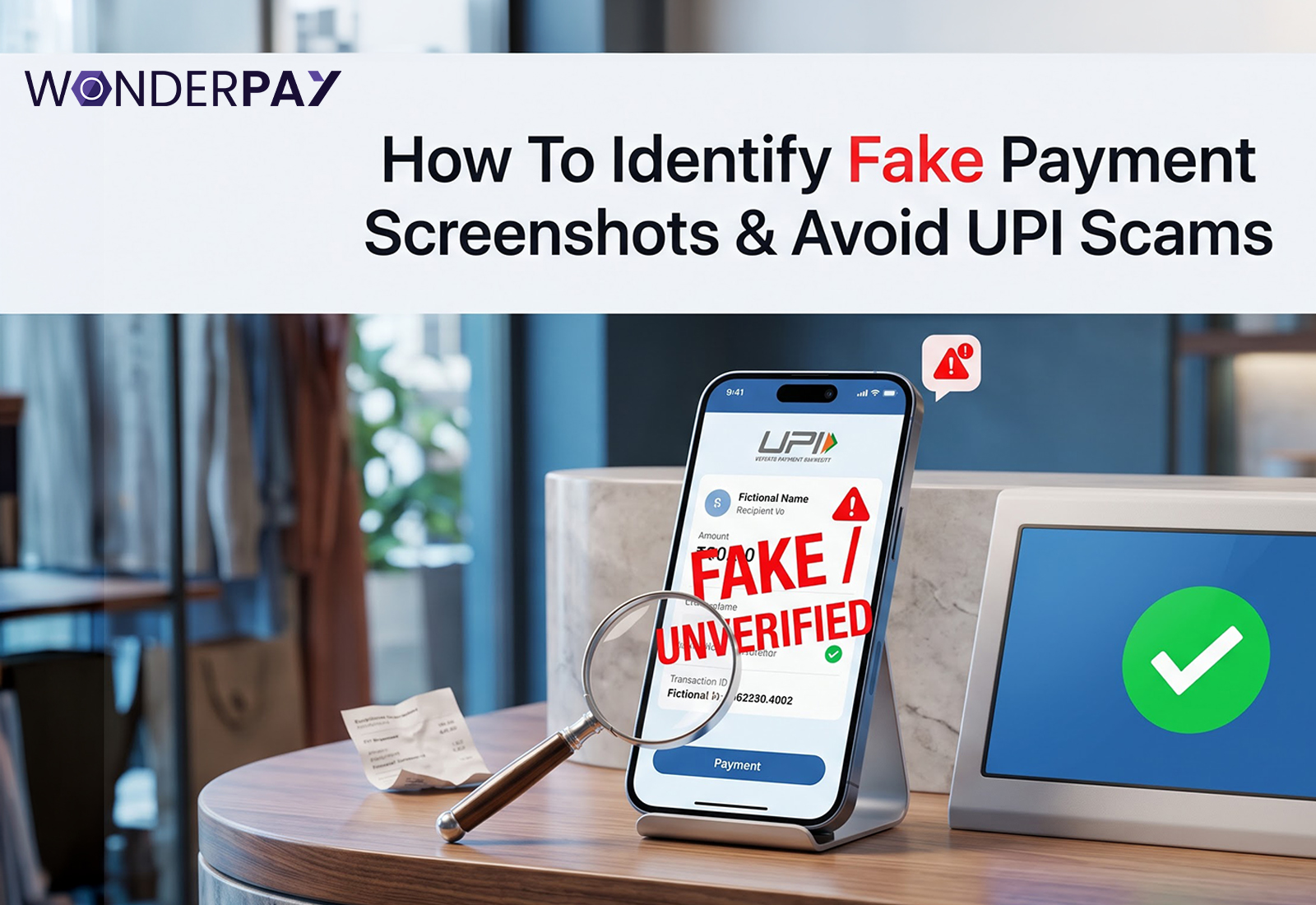
Making digital payments has become a common practice in India; generally, people simply scan a UPI QR code or send money to a number, show the screenshot, and the shopping is done. But are you aware of scams involving fake payment screenshots? This means that people show fake or AI-generated transaction screenshots, even though the money never actually reaches the vendor. The key point is that these screenshots feature the same logos, amounts, timestamps, and transaction IDs, making them appear completely genuine.
Let’s delve deeper into this guide to understand what this scam is, how it works, why it is perpetrated, and most importantly, how vendors or businesses can protect themselves from it.
This scam occurs when scammers show fake screenshots to vendors as proof, attempting to convince them that the payment has been completed, even though the transaction never actually goes through. Image editing software and tools that generate payment screenshots, creating replicas that look exactly like the real thing, play a major role in these scams.
It isn’t the vendors’ fault either; these fake screenshots are absolutely identical to the real ones. They feature everything payment success notifications, logos, timestamps, transaction IDs, and other details that make them look authentic, leading the vendors to believe the payment has gone through.
Also read: Why Every Business Needs a UPI Payment Gateway
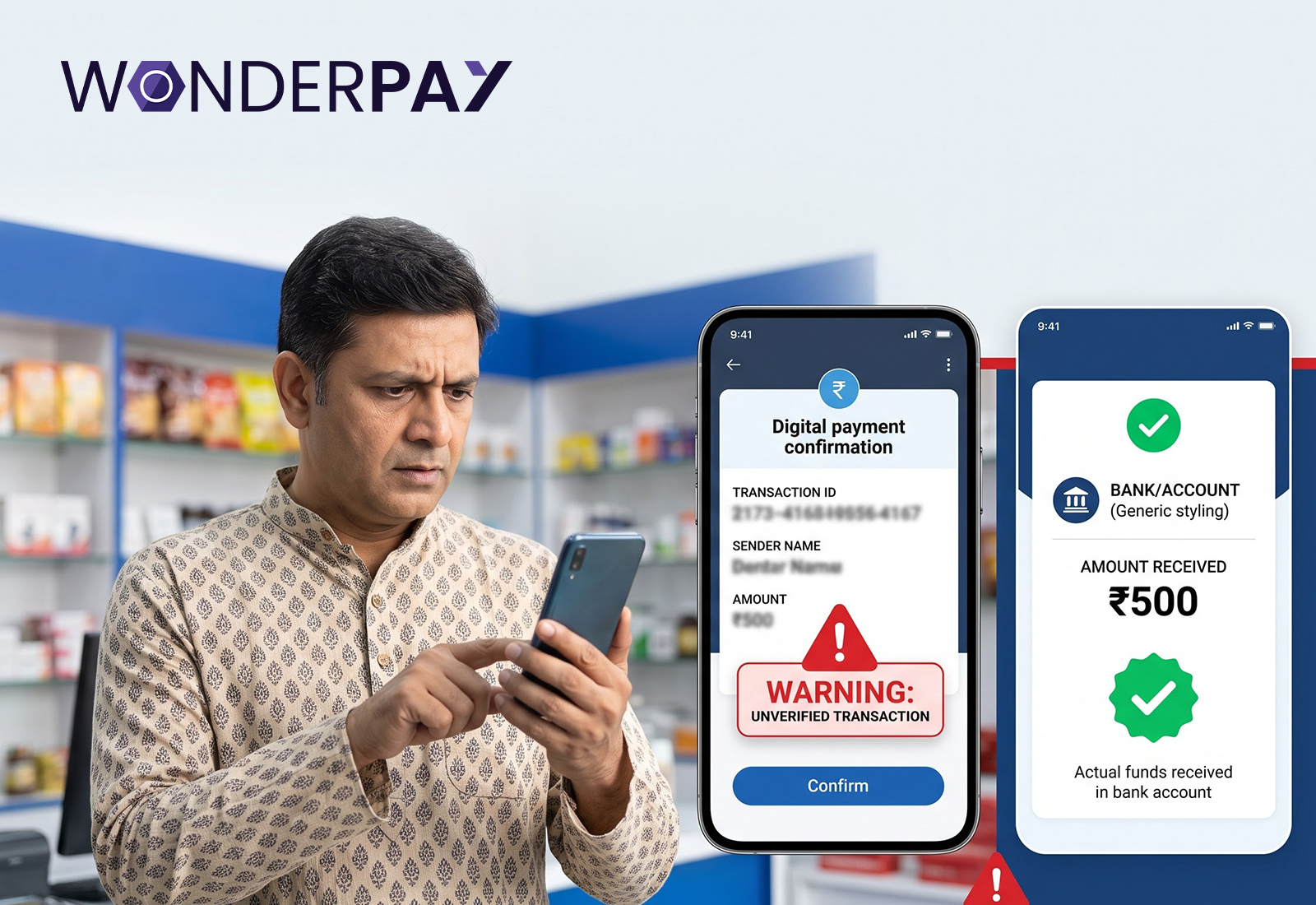
Fake payment screenshot scams involve fraudsters creating fake or modified proofs of purchase, which they then use to convince victims that a transaction has taken place. These scams typically target online businesses, small businesses, freelancers and even individuals. Victims might rely on the screenshot that is given to them by the scammer instead of verifying if the funds have truly been credited into their account. If people understand the common patterns in this type of fraud, they can spot red flags and verify payments before releasing goods or services.
For fake transactions, scammer may use edited pictures, faked receipts or a fake payment gateway. Information such as the amount paid, date of payment, reference number and status of payment may be included in the screenshots. But these details do not necessarily involve the payment of money. As a payment screenshot can be edited, it is recommended that recipients always independently verify the transaction through their own banking or UPI app.
After creating the fake confirmation, the person fakes it and usually sends it via WhatsApp or SMS, or email to its target more using any messengers. As may happen when buying something online, booking a service, paying a freelance specialist, or even while communicating with the vendor of a marketplace. Another tactic scammers use is to state that the payment has already been submitted and instruct the victim to proceed immediately. That pressure could discourage the recipient from verifying their account before taking action.
If the screenshot is accepted as a form of payment by the recipient then the fraudster gets away with merchandise, services or other benefits without ever paying for them.
For example: A freelancer completes a task, a vendor delivers an order or a service provider provides a service, supposedly in return for payment. When the victim later checks her account, she finds that no payment has been made. This can lead to financial loss, free labor, lost product, and challenges in getting the money back. The best practice is to confirm the actual credit in your own account prior to making a purchase.
Related read: Security Standards for Businesses | Payment Gateway in India
These screenshots may look genuine, but they often display warning signs that help identify scams. Ensure to verify the transaction on your bank or UPI app after the payment is made, before handing over any goods or services.
If the payment isn’t showing up in your bank account or UPI app, don’t assume the payment has gone through just based on a screenshot. An actual payment appears instantly in the transaction history.
Look for the incorrect details like amounts, dates, times, transaction IDs, grammar errors, or formatting change. Even a slight change helps to be alterned and verify the fake screenshots.
Be wary of anyone who rushes to release an order without giving you the chance to confirm and verify the payment.
Scammers often pretend that they have accidentally paid an extra amount and ask for a refund. Make sure to verify the amount received before returning any money.
Scams involving fake screenshots are rapidly increasing in India, making it crucial to know how to independently verify UPI payments; this ensures we can confirm whether a transaction has actually been completed or if a scam is being attempted through image manipulation.
A UPI Payment should reflect as an authentic payment on the recipient’s bank account or UPI transaction history. A screenshot itself does not confirm that money has been credited; it is just an image of the displayed information.
It is up to the recipients to validate through their own banking or UPI application. When you cannot see the transaction, do not trust a screenshot or written confirmation.
And there are a plethora of scams that can target anyone from online vendors to the users of marketplaces, delivery services, freelancers and small businesses. Scammers can claim that they have made a payment and provide a false confirmation at or before the purchase of goods or services.
A fake payment screenshot looks completely authentic, so it is crucial to verify the transaction’s reliability rather than relying solely on the screenshot.
Check if the payment has actually been credited to your bank account or UPI app. Do not treat the screenshot as proof of payment, if it will not be visible.
Verify the transaction ID, payment amount, sender information and timestamp (if applicable). Caution needs to be exercised with any sort of mismatch.
Look closely at the screenshot for mismatched fonts, unusual spacing or alignment of logos, wording or individual details that may suggest editing.
Screenshots can be pixel-edited, cropped or taken out-of-context, always verify the transaction independently.
But this simple verification options can allow both individuals and businesses to significantly mitigate their risk of falling victim of payment screenshot scams.
Adopt a “payments received first policy” let the actual credit see the light before you deliver any products or complete the services.
Learn about transaction alerts for swift identification of incoming payments, and an additional verification step.
Even if someone said that the amount have been paid, take some time to check your account.
Keep invoices, purchase order information, transaction references and related correspondence to simplify payment verification and resolve disputes.
If you find out that a payment screenshot is fake and made to trick you, it is advisable to act fast because this will minimize your losses and help with any investigation/dispute process. Do not do any more payments or achieve delivery of a lot more products before you verify it. Contact your bank or payment service provider as soon as possible and provide transaction details. You would also be able to report suspected financial cybercrime via the official channels in India. Complete documentation of the incident is similarly essential, as it can assist with reporting and follow-up.
Do not send any money (such as a refund), deliver the goods, or provide more services until this payment has been verified.
Report the incident to your bank or payment processor and include any transaction details that you have available.
Inform incident using legitimate channels for cyber crime reporting in India by providing exact details.
Take screenshots, your chats, a phone number, and if they got money from you; payment details, invoices, transaction records and other information that can serve as evidence.
By understanding what a fake screenshot looks like and how a real payment confirmation appears, you can ensure that you do not release your goods or services until the payment has been made.
| Features | Fake Payment Screenshot | Genuine Payment Confirmation |
|---|---|---|
| Money Credited | Your account may not be credited with the amount. | It shows the payment in your bank or UPI account. |
| Verification | Mainly based on an image sent from the sender | It settles on its own via an account that you alone maintain. |
| Transaction Details | Possible errors or cross-inconsistent data. | The details almost mirror the transaction. |
| Reliability | Screenshots can be altered, run-through, or passed along. | Validated by bank or payment receipts. |
| What to Trust? | Base your use case on the screenshot, not simply the screenshot. | Make sure to confirm the payment in your own account first. |
Scams that involve fake payment screenshots can convince an unpaid transaction to be real, resulting in financial losses of vendors and businesses alike. Neither screenshots should be used in this way nor independent payment verification. Before letting the goods, services, or refunds go you should always verify the bank or UPI account. Be on alert to strange transaction details, text messages demanding you pay for something immediately and the surprising overpayment. If you do get scammed, find evidence, contact your bank or payment provider while also reporting the scam over here with India cybercrime news reporting channels.
Want to be a part of the Wonderpay community? follow us on:
Youtube: https://www.youtube.com/@wonderpaytec
Instagram: https://www.instagram.com/wonderpaytec
LinkedIn: https://in.linkedin.com/company/wonderpay-technologies-pvt-ltd
Facebook: https://www.facebook.com/wonderpaytec
Twitter: https://x.com/wonderpaytec
Verify the transactions on your bank account or UPI app to confirm whether the payment was actually received or if it was a scam. Do not assume the payment has been credited based solely on a screenshot, message, or payment notification; also check the amount, transaction reference, sender details, and timestamp.
No, a payment screenshot alone is not proof that the payment has been completed; a screenshot can be edited. The safest way to verify the transaction is to check your own bank account or UPI app before delivering goods or services, or before processing a refund.
Common signs indicating a fake payment include: the payment not showing as credited to your account, unusual transaction details, formatting inconsistencies, grammatical errors, and pressure to release the goods or services quickly; alternatively, someone might claim they paid an excess amount and demand a refund.
Do not provide good and services based on the screenshot. Verify your bank account or UPI app for checking transaction details. And for the proof evidences such as screenshots, chats, contact numbers, invoices, and payment information. If you identify the scam, ensure to contact your bank or payment provides and report through appropriate Indian cybercrime channels.
Businesses can minimise the risk of payment screenshot scams by checking the bank and UPI account before completing the purchase. This is possible by verifying transaction notifications, avoiding pressure-based decisions, maintaining invoices and payment records, and checking transaction references to keep yourself safe from these scams.

“A fintech content specialist with expertise in financial technology, digital banking, and emerging market trends, Kanisha Mathur is skilled in crafting SEO-friendly, research-driven content that transforms complex financial concepts into engaging and accessible insights. Combining analytical precision with compelling storytelling, the writing delivers value to both industry professionals and modern digital audiences.”