What Is a Virtual Payment Address (VPA)? Meaning & Benefits
November 14, 2026
Sharing your bank account number and IFSC code every time someone needs to pay you is slow, and it exposes details you would rather keep private. A virtual payment address fixes this with one simple identifier that works much like an email ID for your money. Created under the Unified Payments Interface, the virtual payment address lets you send and receive funds without revealing your account details to anyone. Whether you are paying a shopkeeper, splitting a dinner bill, or collecting rent, the process takes only a few seconds.
In this guide, we explain the meaning of vpa in payment, how a UPI virtual address is formed, and why millions of Indians now prefer it over traditional bank transfers. You will also see a clear virtual payment address example, understand the role of a payer virtual address in every transaction, and learn how the virtual payment address UPI ecosystem keeps your money protected. By the end, you will know exactly how this small line of text powers India’s fastest digital payment experience.
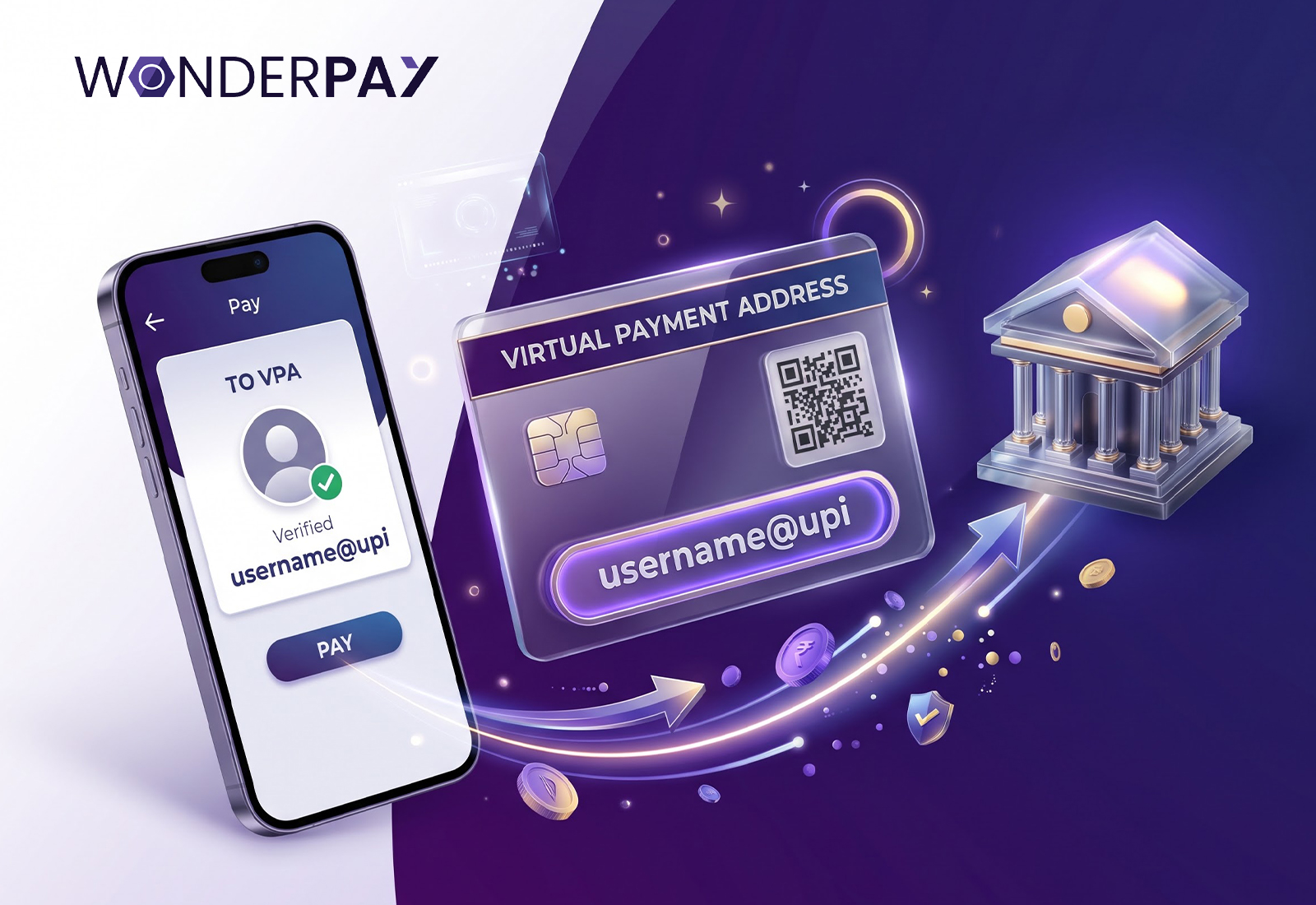
Often shortened to VPA, it is a unique ID that links to your bank account and lets you transact on UPI without sharing your account number or IFSC code. It follows a simple pattern: a username, the @ symbol, and the handle of your bank or payment app. Because the address stands in for your banking details, every payment you make or receive stays cleaner and safer.
In everyday use, VPA in payment refers to the identifier you type, share, or scan to move money. Think of it as a nickname for your account that the banking network can decode instantly. Your bank sees the full account details, while the person on the other end sees only the address. That separation is what makes the system both convenient and private.
Every transaction has two sides. The payer virtual address is the ID of the person sending money, and the receiver’s address is the destination. When you pay at a store, the merchant’s QR code carries their address, while your own payer virtual address is used to authorise the debit from your account. Both sides are verified before a single rupee moves.
Before UPI, moving money between banks meant collecting an account number, an IFSC code, and often a beneficiary name, then waiting for the payee to be activated. Each step added friction and a chance for error. The VPA was designed to compress all of that into a single identifier that any UPI-enabled app could resolve in a moment.
It also answered a growing concern about privacy. As digital payments spread beyond big cities into small towns and local markets, people needed a method that was fast enough for a tea stall and safe enough for a large purchase. The VPA delivered both, which is a major reason UPI usage has grown so rapidly since the system launched in 2016.
Every address has two parts. The first is the username, which you choose or which the app suggests. It can be your name, a nickname, or a short word tied to your business. The second is the handle, the text after the @ sign, which identifies the bank or payment service provider that manages the address. Together they form a single string that is unique across the network, so two people can never share the same ID. If the username you want is already taken, you can add a number or a dot until you find a free variation.
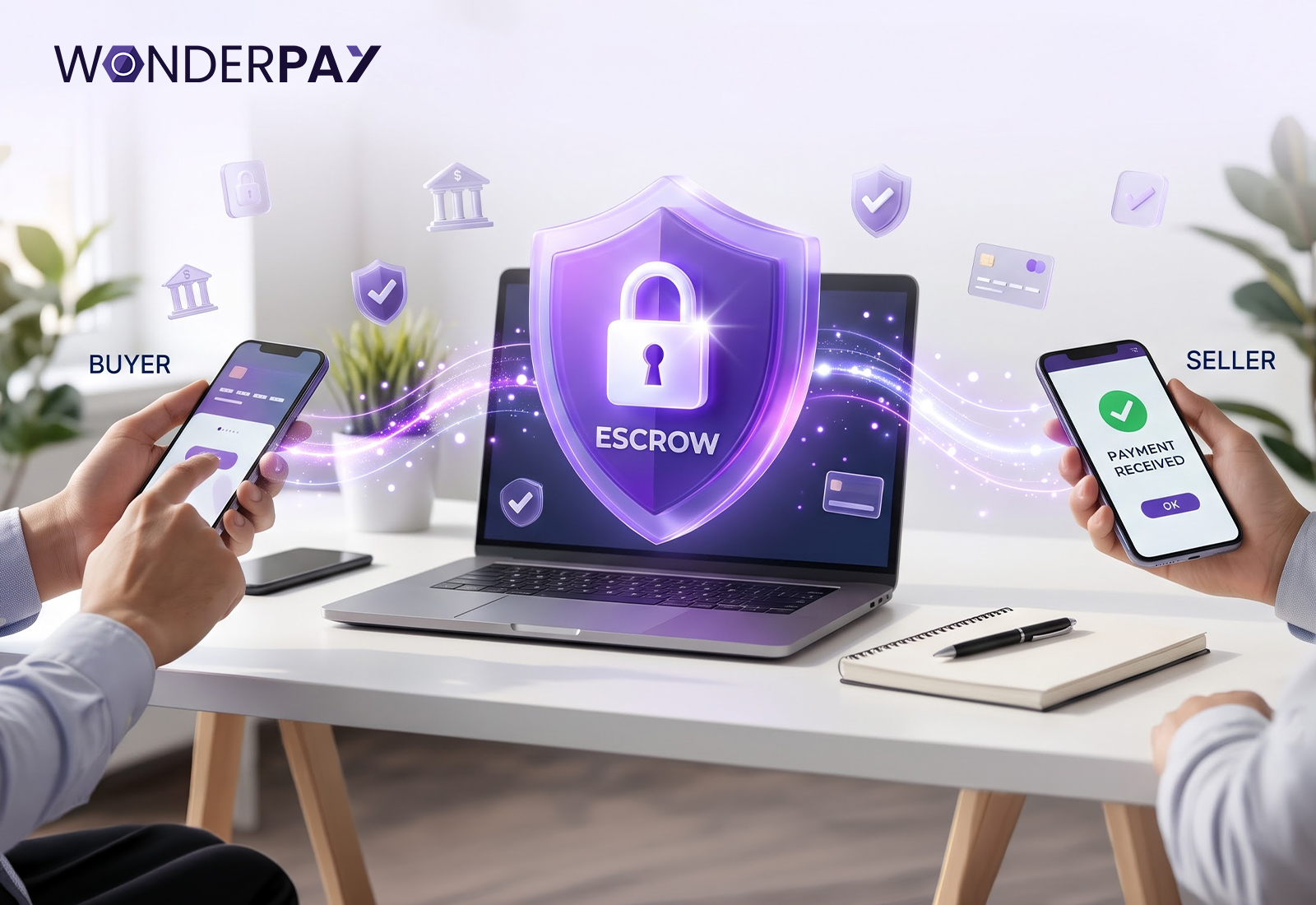
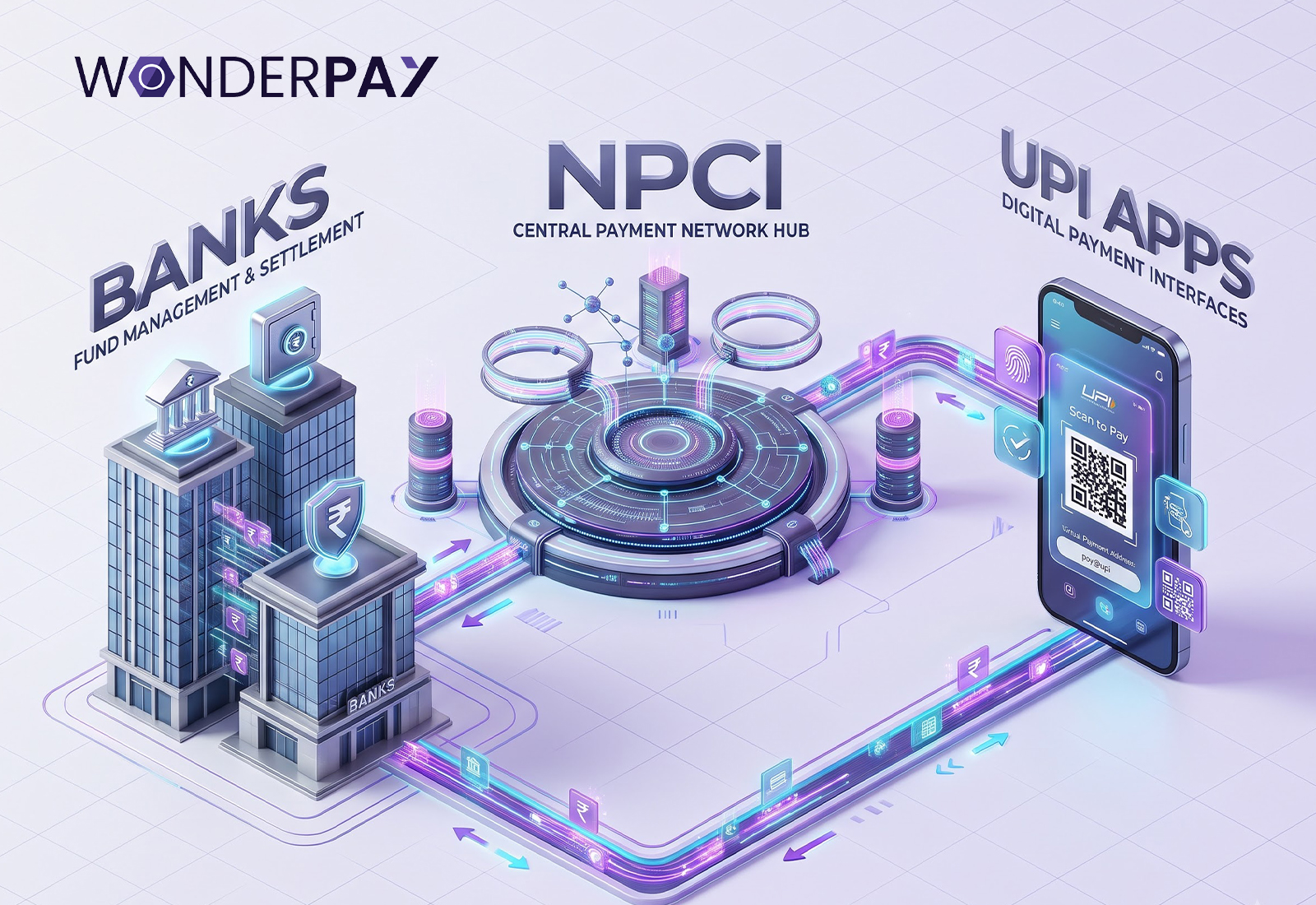
The virtual payment address UPI framework connects banks, apps, and users through a shared network managed by NPCI. When you register on a UPI app, it asks you to link a bank account and then generates your address. Behind the scenes, the network maps that address to your account, so a payment request only needs the ID to find the right destination.
A UPI virtual address is created during onboarding. You select a bank account, verify your mobile number through an SMS, and the app suggests an ID in the format name@bankhandle. You can usually edit the username part, provided the ID is not already taken. Many people keep more than one address, one for personal use and another for business.
You enter the receiver’s address, confirm the name that appears on screen, add the amount, and authorise the payment with your UPI PIN. The request travels through the network, your bank debits the amount, and the receiving bank credits it, usually within seconds.
Three parties keep every transfer running smoothly. NPCI operates the central switch that routes requests between banks. The bank holding your account verifies your identity, checks the balance, and approves or declines the debit. The app on your phone is the front end, giving you a clean screen to enter an address, view the receiver’s name, and confirm with your PIN. Because each party has a defined job, a failure at one point rarely affects the others, and the transaction either completes fully or reverses automatically, usually within a few working days.
A failed payment is stressful, but it is rarely a loss. Start by checking your bank statement, because the amount is sometimes debited while the receiver’s bank is still confirming. In most cases the system reverses such debits on its own within a few working days. If the money does not return, open the transaction in your app, note the reference number, and raise a complaint from the help section.
Should the issue remain unresolved, contact your bank’s customer care with the same reference number. As a last step, you can approach the RBI Ombudsman. Keeping screenshots of the payment and the receiver’s address makes every one of these steps faster.
A clear virtual payment address example removes most of the confusion. Suppose your name is Rohan Mehta and you use an app with the handle @okaxis. Your address could read rohan.mehta@okaxis. Another virtual payment address example, this time for a shop, would be freshmart@ybl. These are illustrative only, and the handle after the @ sign depends on your bank or app.
A good virtual payment address example is short, easy to say aloud, and free of personal details such as your birth date or phone number. Stick to letters, numbers, dots, or hyphens, and avoid anything that looks confusing when typed quickly. A clean ID is easier for customers, friends, and family to remember.
Some apps default to an ID built from your mobile number. That works well enough, but a name-based ID is easier to share and keeps your phone number less exposed. If you ever want a fresh start, most apps let you create a new address, move your account to it, and delete the old one without closing your bank account.
• Better Privacy: Your account number and IFSC code stay hidden, which lowers the risk of misuse.
• Instant Settlement: Transfers reach the receiver within seconds, all day and on holidays.
• Fewer Errors: One short ID replaces long account details, so there is less room for typing mistakes.
• Multiple Accounts: You can link several bank accounts, each with its own address, and choose which to use.
• Low Cost: Most personal transfers carry no fee, which makes everyday payments easy on the pocket.
• Business Ready: A VPA in payment removes the need for card machines and cash handling for small shops and freelancers.
• Flexible Requests: A UPI virtual address also supports QR codes and collect requests, so you can bill clients without sharing bank details.
For individuals, the biggest gain is control. You decide which account receives money, which app you use, and who gets your address. Splitting bills among friends, paying a domestic helper, or sending money to family in another city becomes a matter of entering a short ID and confirming the name. There is no need to wait for a beneficiary to be added, no cut-off times, and no confusion over which bank branch holds the account. Students and first-time earners benefit too, since a basic savings account is enough to get started.
For merchants, the appeal is a lower cost of doing business. A printed QR code tied to a VPA replaces bulky card terminals, and money arrives directly in the bank account. Reconciliation is simpler because each payment carries a reference number and the sender’s name, so accounts can be matched quickly at the end of the day. Small vendors, tutors, and home bakers who once relied on cash can now accept payment from anyone with a UPI app, which widens their customer base without any extra hardware.
1. Download a UPI-enabled app from the official app store.
2. Register using the mobile number linked to your bank account.
3. Select your bank and let the app fetch your account details.
4. Set a UPI PIN using your debit card details.
5. Open your profile to view or edit your address.
Once these steps are complete, your UPI virtual address appears in the profile section, ready to share.
Setting up the address is only the beginning. Open your app’s profile occasionally and review the bank accounts linked to it. If you hold more than one, choose a default so that payments always come from the account you prefer. Remove any address you no longer use, particularly one connected to an old business or a closed account. When you change your phone or SIM card, you will need to register again, so keep your bank-registered mobile number active and updated. A little housekeeping keeps your payments smooth and your account details well guarded.
Convenience works best when paired with a few good habits.
Never share your UPI PIN, and remember that you only enter it when you are sending money, never when you are receiving it.
Always check the name displayed before you confirm a payment.
Your payer virtual address should be shared only with people you trust, and unexpected collect requests from strangers should be declined.
Keep your app updated, and anyone using the virtual payment address UPI system should enable a screen lock on their phone for added protection.
Fraudsters rely on urgency and confusion. A common trick is a collect request disguised as a refund, a cashback, or a prize. Remember that receiving money never requires you to approve a request or enter a PIN, so any prompt asking for either is a warning sign. Be wary of callers who claim to represent your bank, links that ask you to verify your address, and QR codes sent by strangers for the purpose of receiving money. Slow down, read every screen, and confirm the amount and the name before you proceed. If you suspect fraud, inform your bank immediately and report the incident on the National Cyber Crime Reporting Portal or by calling 1930.
Beyond individual scams, build a few routines. Set a transaction limit in your app if it allows one, so a mistake or a stolen phone cannot cause large losses. Turn on notifications so every debit triggers an alert within seconds. Avoid using public Wi-Fi for payments, and never install apps from unknown links, since some are designed to read your messages. Finally, log out of unused devices and review your transaction history once a week. Small checks like these take under a minute and catch problems early.
A virtual payment address has quietly become one of the most useful tools in everyday banking. It protects your account details, speeds up every transfer, and replaces long numbers with a single memorable ID. Once you understand vpa in payment, the logic is easy: you share an address, and the network takes care of the rest. Model your own ID on a clean virtual payment address example, keep your PIN private, and the virtual payment address UPI system will give you payments that are fast, simple, and secure.
For anyone who still hesitates, the best way forward is to start small. Link one account, send a small amount to a friend, and watch how quickly it settles. Once you are comfortable, extend the same habit to bills, shopping, and business collections. Digital payments reward a little curiosity, and a well-chosen ID is the first step toward making them part of your daily routine.
Want to be a part of the Wonderpay community? follow us on:
Youtube: https://www.youtube.com/@wonderpaytec
Instagram: https://www.instagram.com/wonderpaytec
LinkedIn: https://in.linkedin.com/company/wonderpay-technologies-pvt-ltd
Facebook: https://www.facebook.com/wonderpaytec
Twitter: https://x.com/wonderpaytec
A virtual payment address is a unique ID, such as name@bank, that is linked to your bank account. It allows you to send and receive money through UPI without disclosing your account number or IFSC code. It is made up of a username and a bank handle, and you can create, edit, or delete it from your app whenever you need to.
A UPI virtual address is the identifier assigned to your bank account within the UPI network. You use it in place of account details whenever you pay, collect money, or generate a QR code. Each address is unique across the network, which means money always reaches the intended account.
VPA stands for Virtual Payment Address. It is the short ID that the payment network uses to locate your bank account and complete a transfer securely. For example, a short ID such as name@bank is all a friend needs to send you money.
Yes, sharing your address is generally safe because it does not reveal your account number, and money can only leave your account with your UPI PIN. Even so, share it only with people you trust, and never confuse it with your PIN. A payer virtual address on its own cannot be used to withdraw funds. Treat your UPI PIN like an ATM PIN, because it is the only thing that authorises a debit.
Yes. Under the virtual payment address UPI system, you can link several bank accounts and hold a separate address for each. Many users keep one for personal spending and another for business payments. You can also set one account as the default, so payments follow your preference unless you choose otherwise.

“A fintech content specialist with expertise in financial technology, digital banking, and emerging market trends, Kanisha Mathur is skilled in crafting SEO-friendly, research-driven content that transforms complex financial concepts into engaging and accessible insights. Combining analytical precision with compelling storytelling, the writing delivers value to both industry professionals and modern digital audiences.”